Organize your week with free printable weekly planner templates featuring four distinct designs. Each template includes daily sections, priority tracking, and specialized planning areas for goals, tasks, or time blocking. Download PDF files optimized for US Letter paper (8.5″ x 11″). Print at home for effective weekly planning.
What’s Included in Your Weekly Planner Templates
Seven-Day Planning Layouts
Each printable weekly planner template displays all seven days in an organized layout with dedicated space for daily tasks and notes. Plan from Monday through Sunday with clear day separations and ample writing room for appointments, activities, and reminders.
Priority and Goal Tracking
Templates feature different organizational approaches to match various planning styles. Track weekly priorities, set main goals, or manage comprehensive task lists. Priority sections help you focus on what matters most each week.
Decorative Design Themes
All four designs include decorative elements in green, pink, or colorful themes that create an appealing planning environment. Floral borders and tropical leaves add visual interest while maintaining clear functionality for weekly scheduling and task management.
Four Weekly Planner Design Options
Weekly Plan Design (Green Floral)
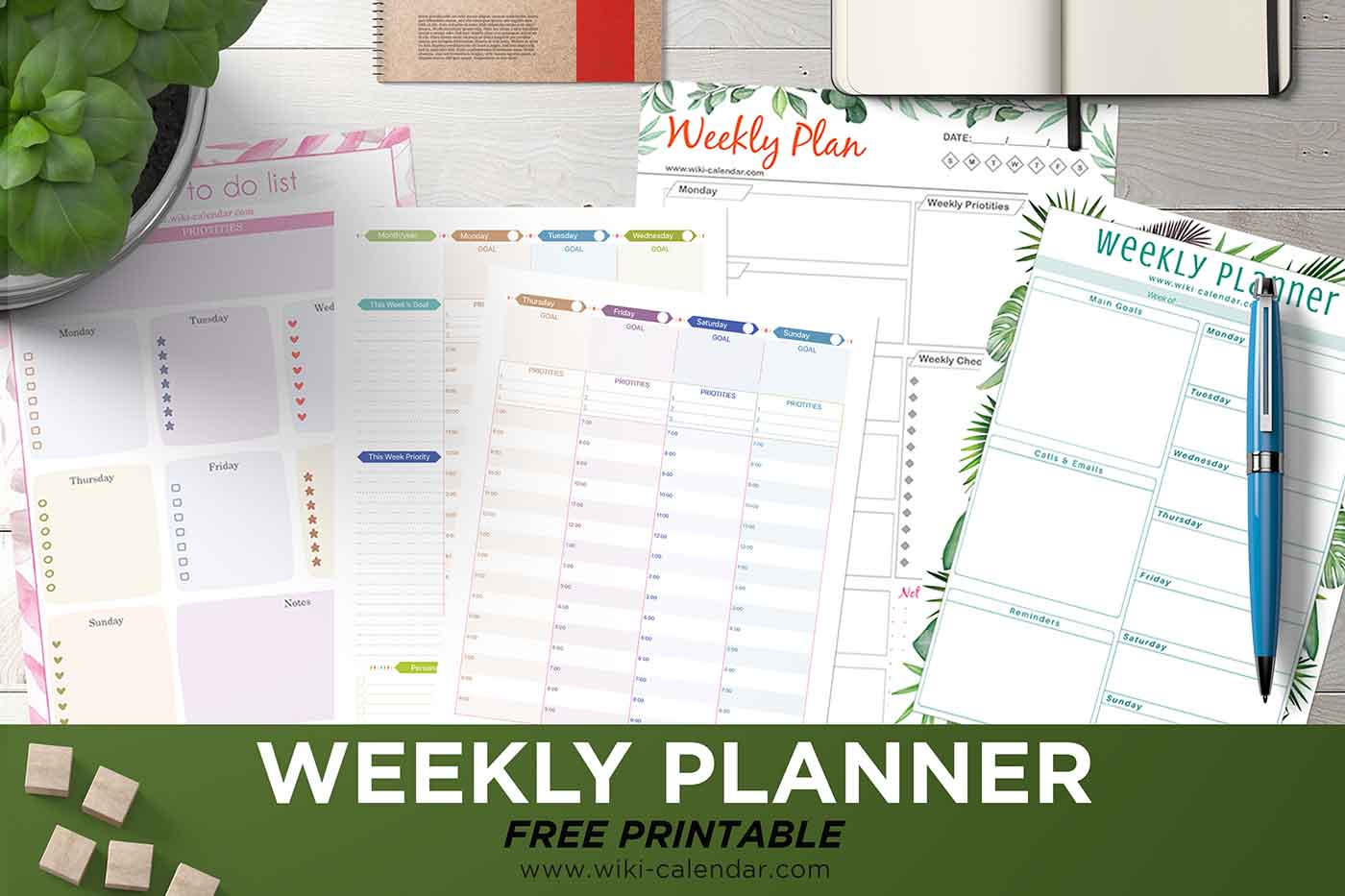
This template features green floral borders with daily boxes for Monday through Sunday, plus dedicated sections for weekly priorities and a comprehensive checklist. The clean layout works well for task-oriented planners who need clear priority tracking throughout the week.
Weekly Planner with Goals (Green Tropical Leaves)
This design showcases tropical green leaves with sections for main weekly goals, calls and emails to make, and general reminders. Perfect for goal-focused users who coordinate communications alongside tasks. The layout separates strategic goals from daily action items.
Weekly To-Do List (Pink Watercolor)
This template displays pink watercolor elements with a priorities banner and daily sections marked by different icons including hearts, stars, and checkboxes for each day. The visual variety makes planning more engaging while maintaining clear organization for daily tasks.
Hourly Schedule (Colorful Day Tabs)
This two-page design spans Monday through Sunday with colorful day tabs and time blocking from 7 AM to 9 PM. Includes a habit tracker grid and personal to-do list. Best for detailed schedulers who plan by the hour and track daily habits alongside weekly tasks.
How to Download and Print
Downloading Your Template
Download your preferred template design as a PDF file. Open it in Adobe Reader, Preview (Mac), or your browser’s PDF viewer. Files work on any device and print without special software or configuration.
Printing Your Weekly Planner
Print on standard Letter-size paper using 24 lb paper for regular weekly planning or cardstock for longer-lasting planners. Use color printing to preserve the decorative floral and tropical design elements, or switch to grayscale to save ink costs.
Creative Usage Ideas
Hole-punch the printed pages to add them to three-ring binders for an integrated weekly planning system. Import into GoodNotes or Notability for iPad-based weekly planning with Apple Pencil. Laminate the template and use dry-erase markers to create a reusable weekly planning board that you wipe clean each Sunday.
Best Printing Practices
Paper Recommendations
Print these weekly planner templates on 20-24 lb copy paper for standard weekly use or 65-110 lb cardstock for increased durability. Cardstock works well if you reference your planner frequently throughout the week or carry it in bags.
Professional Printing Services
Visit FedEx Office, Staples, or local print shops for volume printing or professional quality. The undated format means you can print exactly how many weeks you need. Request color printing on cardstock for presentation-quality weekly planners.

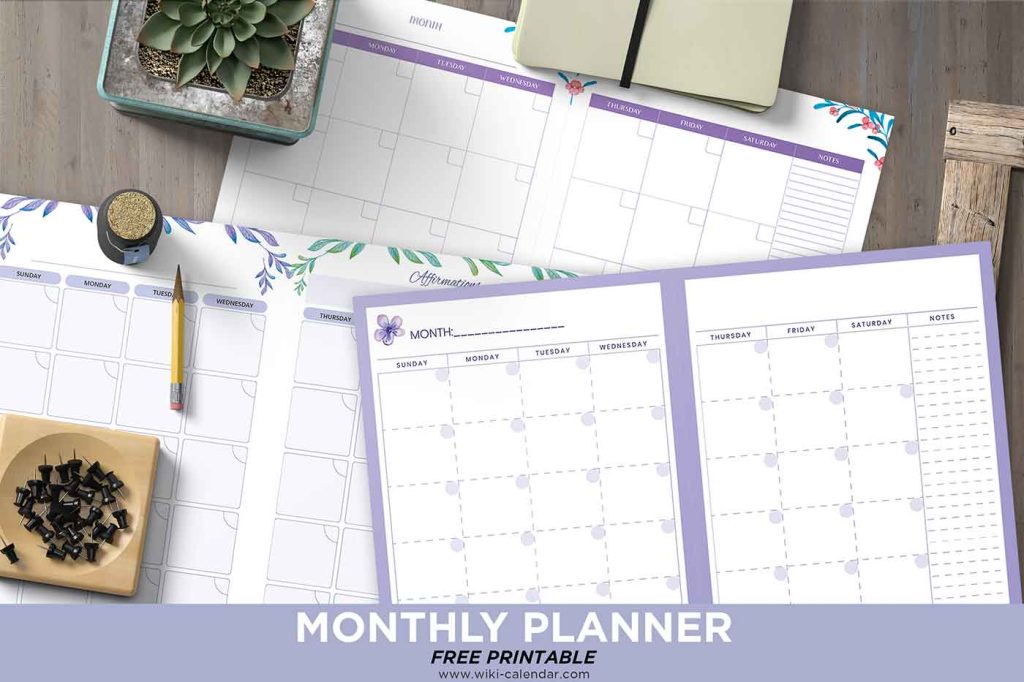
Do you have any plain monthly Planners? And do you work for hire?
At Wiki Calendar everything is free. Monthly Planner can be used here: https://www.wiki-calendar.com/monthly-planner.html
Thank you
it is best to manage tasks with time and save my time also
Looks good, Thanks
its a great calendar but when you print the bottom is cut off
i should specify the bottom of the weekly calendar is cut off when you print, is there anyway to fix this its a great calendar
Dani – That is a setting you need to change on your end. Try “Scale to fit printable area”, or something with the scale options for your printer. I’m guessing that yours is set to print 100%.
I wish some of these calendar pages could be offered with lines on them.